Thermaltake P3 - Istruzioni
Custodia per PC Thermaltake P3 - Manuale d'uso in formato PDF online
Istruzioni:
Manuale d'uso Thermaltake P3
Sommario
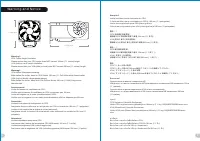
Wa r n i n g a n d N o t i c e < 1 8 0 m m < 2 8 0 m m Wa r n i n g ! ! CPU Cooler Height Limitation: Please ensure that your CPU cooler does NOT exceed 180mm (7.1 inches) height. VGA (Add-on card) Length Limitation: Please ensure that your VGA (Add-on card) does NOT exceed 280mm (11 inches) l...
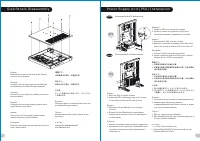
S i d e Pa n e l s D i s a s s e m b l y English /Remove the screws on the back of the chassis, and open the side panel Deutsch /Entfernen Sie die Schrauben auf der Rückseite des Gehäuses und öffnen Sie das Seitenteil Français /Enlevez les vis à l’arrière du châssis et ouvrez le panneau latéral Espa...
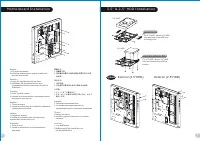
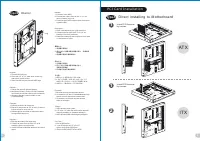
M o t h e r b o a r d I n s t a l l a t i o n English /1.Lay down the chassis.2.Install the motherboard in proper location and secure it with screws. Deutsch /1.Legen Sie das Gehäuse auf die Seite.2.Installieren Sie die Hauptplatine in ihrer vorgesehenen Position und sichern Sie sie mit Schrauben. F...